In production
AI data import
An import that reads spreadsheets, vCards and business-card photos as they are and maps them itself, so nobody matches columns by hand.
Short version
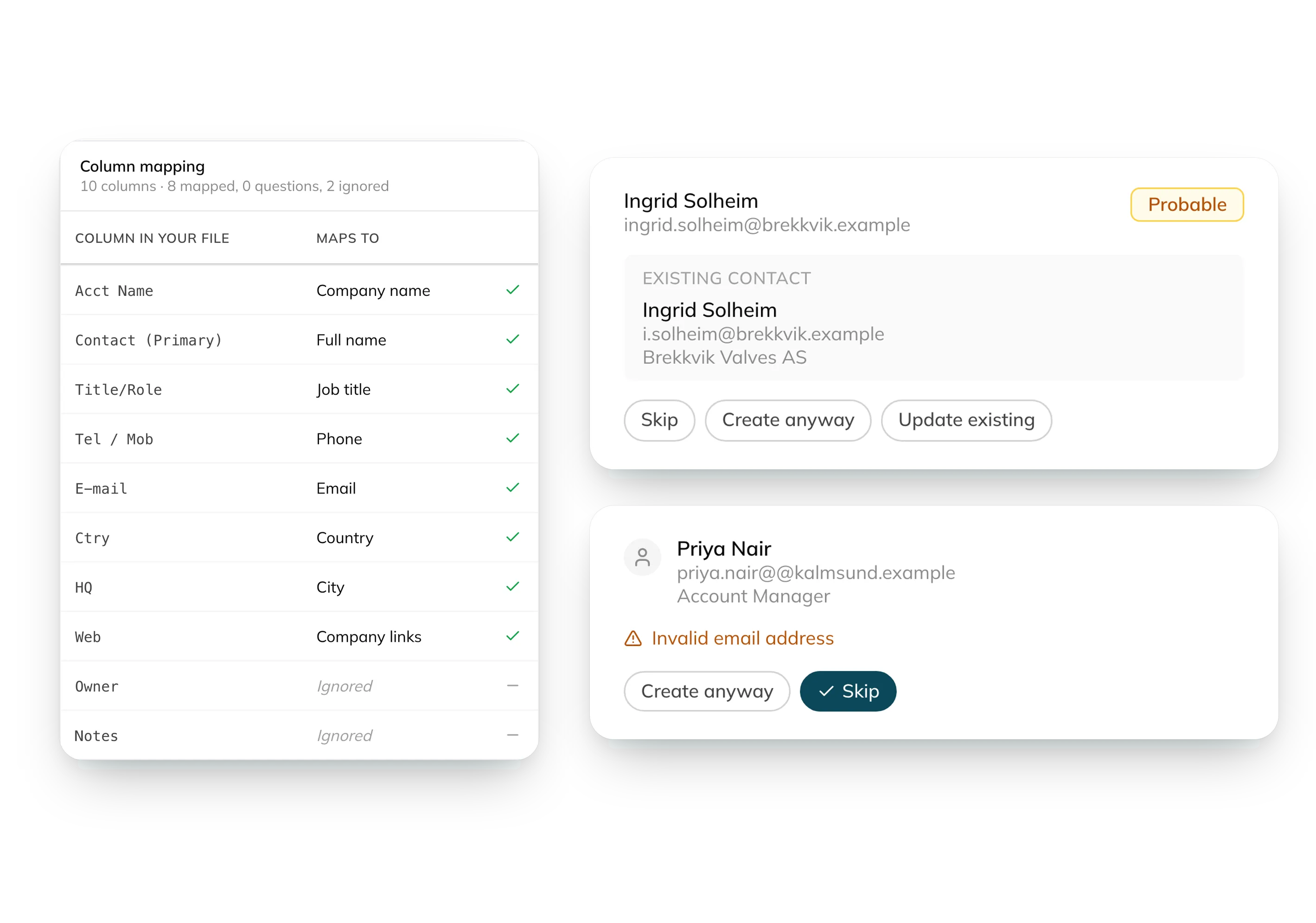
Customers came to GAIA with contacts in spreadsheets and photos of business cards. I built an import where an agent reads the file, asks a couple of multiple-choice questions and stages everything for review. When an 819-row import locked an organisation out, the model was fine. The commit was the problem, and I cut it from 1,600 statements to 2.
Problem
GAIA is only useful once your partners and contacts are in it. New customers didn’t have them anywhere we could connect to. They had spreadsheets, exports from old CRMs with their own column names, and a stack of business cards from the last trade fair. The only way in was typing them up by hand.
The standard fix is a column-mapping wizard. It’s the screen every CRM has, where you match “Acct Name” to “Company” one dropdown at a time. It’s also the step people give up on, and it does nothing for a photo of four business cards.
Constraints
- Nothing touches live data until the user says so. A wrong guess in someone’s contact book is worse than a slow import.
- AI cost can’t grow with the file. A 5,000-row sheet must not mean 5,000 model calls.
- Data stays in an EU region, and the cost of each import is visible per organisation.
Approach
You drop a file into the import window. It can be a CSV, an Excel file, a vCard, a PDF, or a photo taken on your phone.
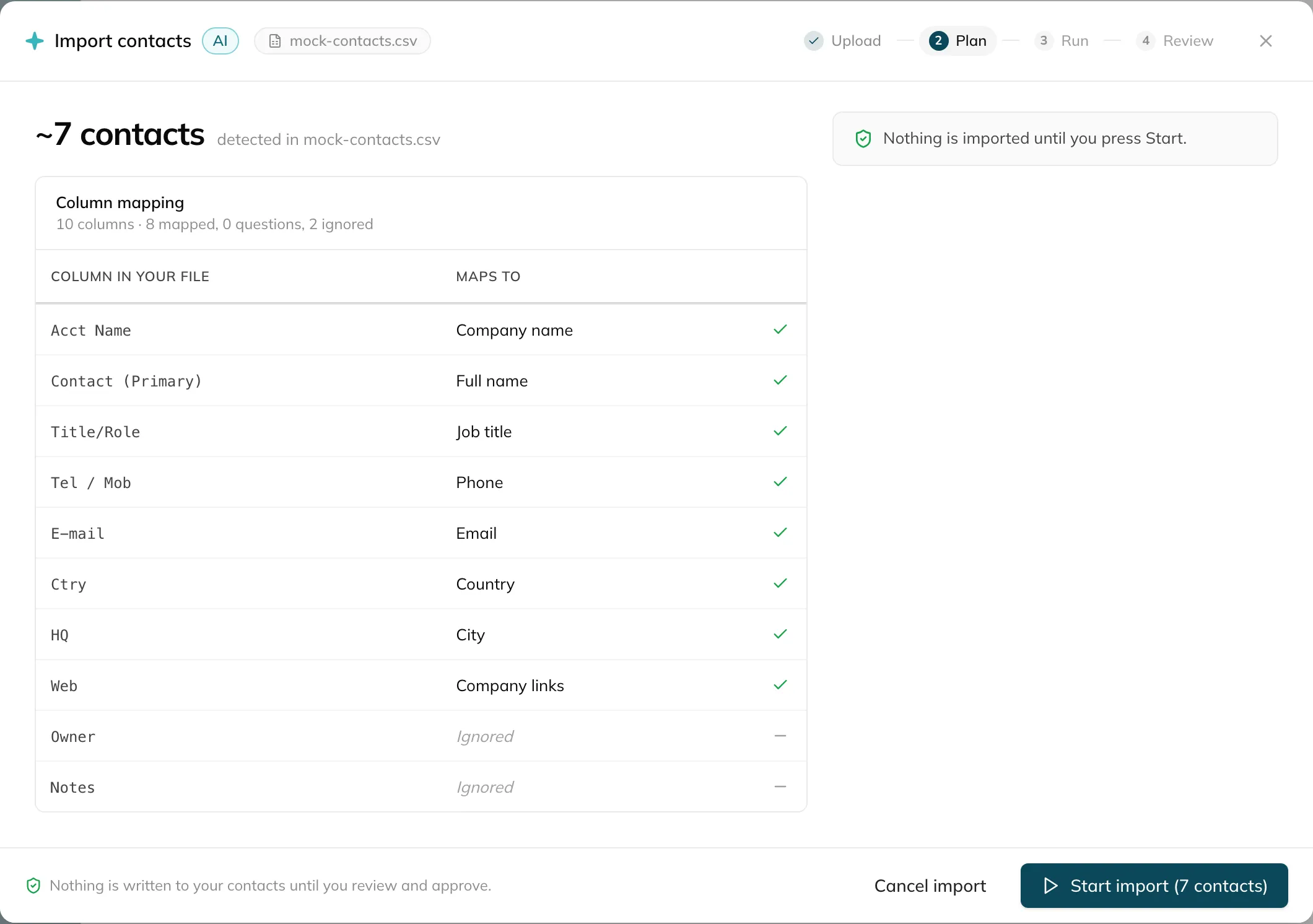
A plain parser reads it first, with no AI involved. It detects the delimiter and encoding, numbers every row and stops at the row cap before anything is spent. Then a planning agent looks at the columns and a sample of rows. If something is unclear it asks, but only with quick-reply options, and only a few times. Then the import starts.
For spreadsheets the model writes the mapping once and normal code applies it to every row. Model cost depends on the columns, not the number of rows. Photos and PDFs go through a separate vision path. A background worker does the job and streams progress to the screen.
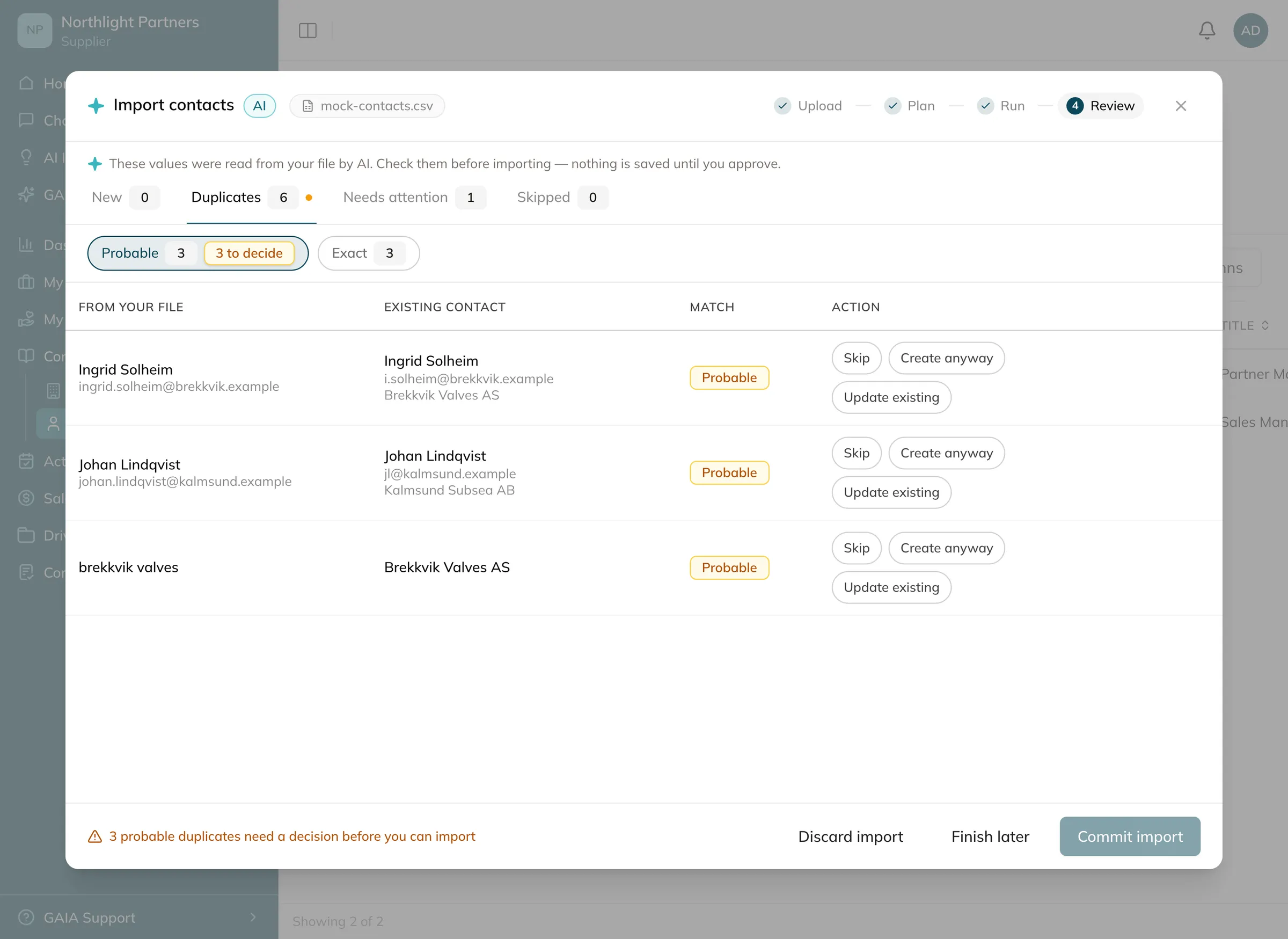
Everything lands in a staging area, not in GAIA. The review screen shows what’s new, what looks like a duplicate and what needs attention. The user decides, and only then does anything get saved.
Decisions
An agent instead of a mapping wizard
- Ruled out
- Column-mapping wizard
- Went with
- AI import with staged review
A wizard is predictable and costs nothing to run. But it only handles spreadsheets, and it leaves the hardest part to the user. The agent handles cards and PDFs too, and turns mapping into a couple of multiple-choice questions. The price is a model in the loop, which is why the next two decisions exist.
The model maps once, code does the rows
- Ruled out
- Send every row to the model
- Went with
- Model writes the mapping, code applies it
Sending rows to the model is simpler to build and copes better with odd rows. But the cost grows with the file, and nobody can explain afterwards why row 3,412 came out different. A mapping can be read, tested and run again.
Duplicates are flagged, never merged
- Ruled out
- Let the model merge duplicates
- Went with
- Rule-based matching, the user decides
Auto-merging would save clicks. A wrong merge quietly destroys a contact someone cared about. So matching is plain rules, the review screen shows each match, and the user picks.
When it broke
I shipped it behind a flag, first to our own organisation and then to a few customer testers. The first round of feedback was about real life, not AI. iPhone photos arrived as HEIC. Images saved from WhatsApp were .jpeg, not .jpg. And a photo of four business cards gave all four people the same company. I fixed that one with a prompt rule.
In August the worst report came in. Imports felt slow, the second one froze, and after that nobody in the organisation could import anything. I went through the trace for that session and found three bugs. The model caused none of them.
- The model had read all four cards correctly, and the commit lost it. Every card in one photo shared the same row reference, so the last company written won. The review screen used the same lookup, so the preview showed the wrong company too. My prompt rule from July could never have fixed it.
- The “slowness” was the progress counter stuck at 0 for 21 seconds. Progress only saved at the end of a batch, and one photo is one batch. Now it updates after every contact.
- The real blocker was the commit. An 819-row import wrote its records one by one inside a single transaction, more than 1,600 statements. It ran for minutes, failed, rolled back and left the session stuck in review. A stuck session blocks every new import in that organisation.
I rewrote the commit as two batched statements and made stuck sessions possible to discard or recover. On 28 August the flag came off and every organisation got the import.
Next
There’s no bulk undo yet. Someone who imports 800 wrong contacts has to delete them one at a time, so that’s the first thing I’d build. After that I’d log every time a user overrides the planner’s guess, to see which questions it could stop asking.
When an AI feature gets something wrong now, I read what the code does with the model’s output before I touch the prompt. In this import the model was the part that got it right.